Question 1
Which cell in this spreadsheet shows how many folders the class sold?
Choose one answer.
- C4
- B4
- C3
- 4C


Teachers who sign in can assign LessonRally activities to their Google Classroom classes: students open them in Classroom and answer online, and their grades go to the teacher's Classroom gradebook. Practice lets you try it first, the way students see it.
Free for teachers. Sign in to assign activities to your Google Classroom classes.
 (opens in a new tab)
2 pages · Student copy, no answers
Print worksheet (opens in a new tab)Answer keyPremiumStudents read two small spreadsheet tables, find a cell by its name, tell a row from a column, and work out what each formula shows. Formulas use SUM, AVERAGE, multiplication and subtraction, and students see why every formula starts with an equals sign.
Learning goal: Name cells, rows, columns and ranges in a spreadsheet, and find the results of simple formulas that use SUM, AVERAGE and basic operations.
The estimate is halfway between the two middle scores of four readability formulas. Their scores run from 0.0 to 6.1.
Adapted from common readability formulas (Flesch-Kincaid, Gunning Fog, Coleman-Liau and ARI, plus SMOG for long texts), which look at sentence length and word length. Answer choices count toward word length only. Grades below the estimate will likely find the text harder, grades above it easier. It does not measure ideas, background knowledge or images.
Topic: Computers and Networks Chosen by LessonRally
Question types: multiple choice, number answer.
The questions as students see them, without the answers.
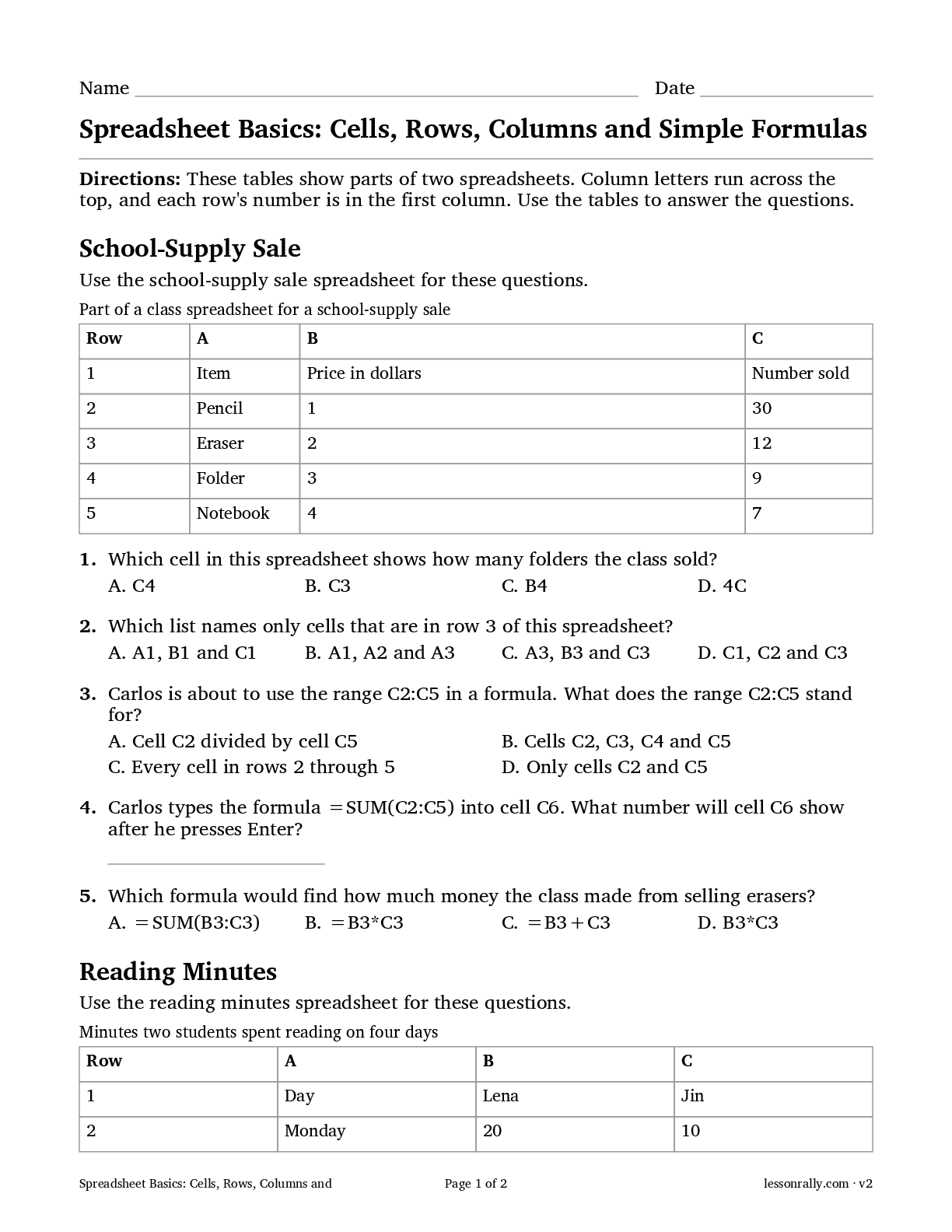
These tables show parts of two spreadsheets. Column letters run across the top, and each row's number is in the first column. Use the tables to answer the questions.
Use the school-supply sale spreadsheet for these questions.
| Row | A | B | C |
|---|---|---|---|
| 1 | Item | Price in dollars | Number sold |
| 2 | Pencil | 1 | 30 |
| 3 | Eraser | 2 | 12 |
| 4 | Folder | 3 | 9 |
| 5 | Notebook | 4 | 7 |
Which cell in this spreadsheet shows how many folders the class sold?
Choose one answer.
Which list names only cells that are in row 3 of this spreadsheet?
Choose one answer.
Carlos is about to use the range C2:C5 in a formula. What does the range C2:C5 stand for?
Choose one answer.
Carlos types the formula =SUM(C2:C5) into cell C6. What number will cell C6 show after he presses Enter?
Enter a number.
Which formula would find how much money the class made from selling erasers?
Choose one answer.
Use the reading minutes spreadsheet for these questions.
| Row | A | B | C |
|---|---|---|---|
| 1 | Day | Lena | Jin |
| 2 | Monday | 20 | 10 |
| 3 | Tuesday | 35 | 30 |
| 4 | Wednesday | 25 | 45 |
| 5 | Thursday | 40 | 15 |
Lena types the formula =AVERAGE(B2:B5) into cell B6 to find her average for the four days. What number will cell B6 show?
Enter a number.
Which formula would find the total number of minutes that Jin read during these four days?
Choose one answer.
Jin's reading goal for the whole week is 150 minutes. To see how many minutes he still needs, he types the formula =150-SUM(C2:C5) into cell C7. What number will cell C7 show?
Enter a number.
No reviews yet.
Reviews come from teachers who assigned this activity to a class.
Have a topic of your own? Make a printable worksheet and online quiz, free.
Create an activityCommon Core RI.6.6
Made by Aisha Varrick · LessonRally (AI-assisted)
Made by Aisha Varrick · LessonRally (AI-assisted)
Made by Aisha Varrick · LessonRally (AI-assisted)
Made by Aisha Varrick · LessonRally (AI-assisted)