Question 1
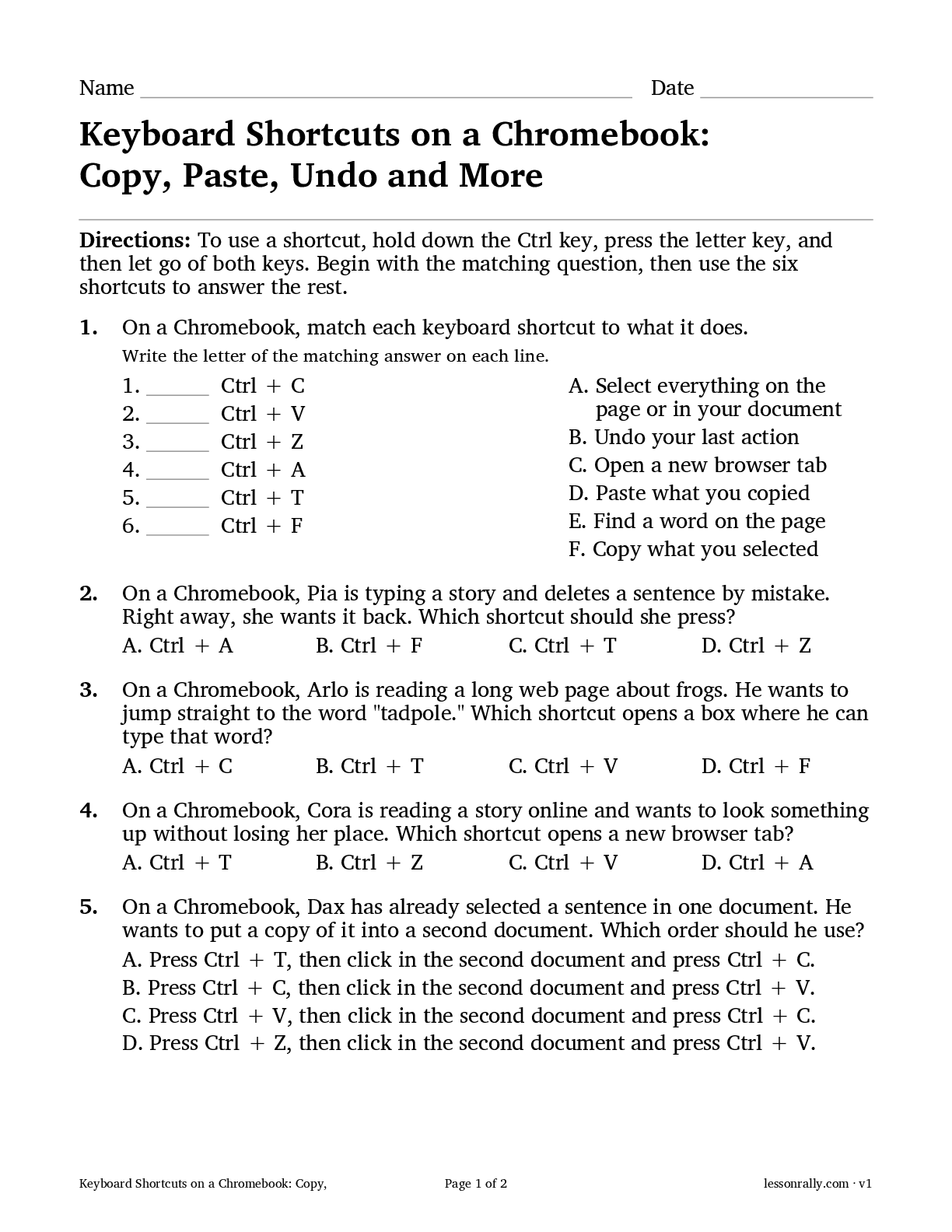
On a Chromebook, match each keyboard shortcut to what it does.
Match each item to an option.
Items
- Ctrl + C
- Ctrl + V
- Ctrl + Z
- Ctrl + A
- Ctrl + T
- Ctrl + F
Options


Teachers who sign in can assign LessonRally activities to their Google Classroom classes: students open them in Classroom and answer online, and their grades go to the teacher's Classroom gradebook. Practice lets you try it first, the way students see it.
Free for teachers. Sign in to assign activities to your Google Classroom classes.
 (opens in a new tab)
2 pages · Student copy, no answers
Print worksheet (opens in a new tab)Answer keyPremiumStudents match six common Chromebook keyboard shortcuts to what they do, then use them in short tasks: undoing a mistake, finding a word on a page, opening a new tab, copying and pasting in the right order, selecting everything, and working out what gets pasted. Computer basics practice for Chromebook users.
Learning goal: Use the Chromebook shortcuts Ctrl + C, Ctrl + V, Ctrl + Z, Ctrl + A, Ctrl + T and Ctrl + F to copy, paste, undo, select everything, open a new tab and find a word.
The estimate is halfway between the two middle scores of four readability formulas. Their scores run from 2.6 to 7.1.
Adapted from common readability formulas (Flesch-Kincaid, Gunning Fog, Coleman-Liau and ARI, plus SMOG for long texts), which look at sentence length and word length. Answer choices count toward word length only. Grades below the estimate will likely find the text harder, grades above it easier. It does not measure ideas, background knowledge or images.
Topic: Computers and Networks Chosen by LessonRally
Question types: matching, multiple choice, number answer, select all that apply.
The questions as students see them, without the answers.
To use a shortcut, hold down the Ctrl key, press the letter key, and then let go of both keys. Begin with the matching question, then use the six shortcuts to answer the rest.
On a Chromebook, match each keyboard shortcut to what it does.
Match each item to an option.
Items
Options
On a Chromebook, Pia is typing a story and deletes a sentence by mistake. Right away, she wants it back. Which shortcut should she press?
Choose one answer.
On a Chromebook, Arlo is reading a long web page about frogs. He wants to jump straight to the word "tadpole." Which shortcut opens a box where he can type that word?
Choose one answer.
On a Chromebook, Cora is reading a story online and wants to look something up without losing her place. Which shortcut opens a new browser tab?
Choose one answer.
On a Chromebook, Dax has already selected a sentence in one document. He wants to put a copy of it into a second document. Which order should he use?
Choose one answer.
On a Chromebook, Gus has selected only the first sentence of his story. He wants to copy the whole story. Which shortcuts should he press, in order?
Choose one answer.
On a Chromebook, Jude selects a word in his document and presses Ctrl + C. What happens to the word he selected?
Choose one answer.
On a Chromebook, Iris selects the word "hooray" and presses Ctrl + C once. Then she clicks at the end of a sentence in a document she can type in and presses Ctrl + V four times. How many new copies of "hooray" does she add?
Enter a number.
On a Chromebook, Kira is working in a document. Which two of these shortcuts can change the words in it? Choose 2.
Choose 2 answers.
On a Chromebook, Milo selects the sentence "Frogs can jump far." and presses Ctrl + C. Next, he selects "Frogs lay eggs in water." and presses Ctrl + C. Then he clicks a blank line in a document he can type in and presses Ctrl + V. Which sentence is pasted?
Choose one answer.
No reviews yet.
Reviews come from teachers who assigned this activity to a class.
Have a topic of your own? Make a printable worksheet and online quiz, free.
Create an activityMade by Aisha Varrick · LessonRally (AI-assisted)
Made by Aisha Varrick · LessonRally (AI-assisted)
Made by Aisha Varrick · LessonRally (AI-assisted)
Made by Aisha Varrick · LessonRally (AI-assisted)