Question 1
Ravi is making a password for a new game account. Which of these passwords would be the hardest for someone to guess?
Choose one answer.
- tuba ladder frosty pickle river
- P@s5!
- qwertyuiop
- password1234


Teachers who sign in can assign LessonRally activities to their Google Classroom classes: students open them in Classroom and answer online, and their grades go to the teacher's Classroom gradebook. Practice lets you try it first, the way students see it.
Free for teachers. Sign in to assign activities to your Google Classroom classes.
 (opens in a new tab)
2 pages · Student copy, no answers
Print worksheet (opens in a new tab)Answer keyPremiumStudents read short scenarios and choose strong passwords and passphrases and safe password habits: a different password for every account, two-step verification, a password manager, keeping a password private, signing out on shared computers, and changing a password when it may have been exposed. Internet safety and digital citizenship practice.
Learning goal: Choose strong passwords and passphrases, and pick the safest password habit for a situation, such as using a different password for each account or turning on two-step verification.
The estimate is halfway between the two middle scores of four readability formulas. Their scores run from 3.1 to 5.4.
Adapted from common readability formulas (Flesch-Kincaid, Gunning Fog, Coleman-Liau and ARI, plus SMOG for long texts), which look at sentence length and word length. Answer choices count toward word length only. Grades below the estimate will likely find the text harder, grades above it easier. It does not measure ideas, background knowledge or images.
Topic: Digital Citizenship Chosen by LessonRally
Question types: multiple choice, select all that apply.
The questions as students see them, without the answers.
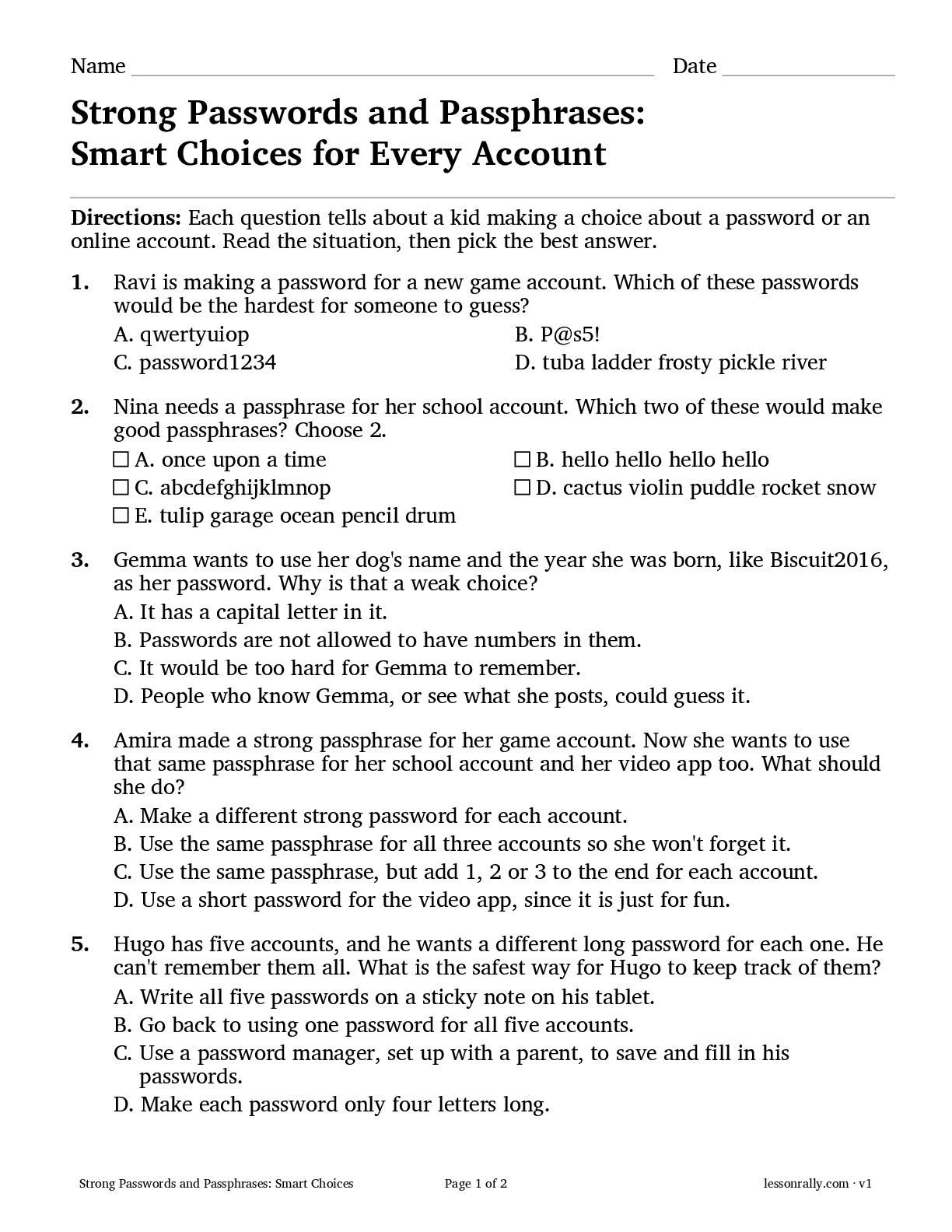
Each question tells about a kid making a choice about a password or an online account. Read the situation, then pick the best answer.
Ravi is making a password for a new game account. Which of these passwords would be the hardest for someone to guess?
Choose one answer.
Nina needs a passphrase for her school account. Which two of these would make good passphrases? Choose 2.
Choose 2 answers.
Gemma wants to use her dog's name and the year she was born, like Biscuit2016, as her password. Why is that a weak choice?
Choose one answer.
Amira made a strong passphrase for her game account. Now she wants to use that same passphrase for her school account and her video app too. What should she do?
Choose one answer.
Hugo has five accounts, and he wants a different long password for each one. He can't remember them all. What is the safest way for Hugo to keep track of them?
Choose one answer.
Owen wants his game account to stay safe even if someone learns his password someday. Which setting should he choose?
Choose one answer.
Mia's best friend Leah asks for Mia's game password so Leah can help her get past a hard level. What should Mia do?
Choose one answer.
Jada signs in to her school account on a computer at the public library. The browser asks, "Save password for this site?" What should she do?
Choose one answer.
Theo is doing homework on his tablet at the community center when he gets up to refill his water bottle. He is signed in to his email and two apps. What should he do before he walks away?
Choose one answer.
Felix uses a long passphrase that no one else knows, and there is no sign that anyone has seen it. His cousin says Felix must change it every month. What does current security advice say?
Choose one answer.
No reviews yet.
Reviews come from teachers who assigned this activity to a class.
Have a topic of your own? Make a printable worksheet and online quiz, free.
Create an activityMade by Aisha Varrick · LessonRally (AI-assisted)
Made by Aisha Varrick · LessonRally (AI-assisted)
Made by Aisha Varrick · LessonRally (AI-assisted)
Made by Aisha Varrick · LessonRally (AI-assisted)